










Spoiler alert: If you came here hoping open source HAProxy could load balance your UDP traffic out of the box, I’ve got bad news. The good news? You don't need an enterprise license to fix it. Linux Virtual Server (LVS) is sitting right in your kernel, ready to save the day—and setting it up is surprisingly painless. Here's your step-by-step work around.
Why doesn't HAProxy support UDP?
Why? Well, to be honest, because it doesn't really make any sense! Why would you want a Layer 7 Reverse Proxy to support Layer 4 UDP routing? In the UNIX/Linux world, engineers have always used the right tool for the right job — and then you combine the tools together for the best result.
The best tool to use for UDP load balancing is LVS (Linux Virtual Server). LVS is an open source project that's been around for 30 years. It's integrated with the Linux kernel and used on millions of production networks. It's exactly what the commercial HAProxy ALOHA appliance uses, plus every other load balancer vendor I can think of.
Does UDP still matter when HTTP/3 QUIC is coming?
The new standard HTTP/3 QUIC combines UDP’s speed with added reliability, security, and efficiency. So yes, the traditional need for simple, fast UDP applications will be much reduced.
However, HTTP/3 is complex, evolving and very new. Most people haven't even moved to HTTP/2 yet, so somehow I think we will be living with UDP support requirements for several years to come :-).
OK, so what would you typically use UDP for?
UDP is a connectionless protocol, meaning it doesn't establish a formal connection or 'handshake' before sending data. It simply sends datagrams without any guarantee of delivery, order, or error correction. This makes it very fast and efficient, which is why it's used for applications where speed is more important than reliability, such as the following:
- Remote desktop and video and audio streaming
- Telecoms, VoIP and satellite
- Online gaming and multi-user broadcasts
- DNS, FTP & DHCP
- IoT, drones and robots
But if you are reading this, you probably already know exactly why you need it. So let's get on with how to do it.
How-to: A simple UDP load balancing configuration using LVS instead of HAProxy
You can run LVS and HAProxy on the same host with no issues, as they're very complementary. For this example, I'm going to assume that you have a working Rocky Linux environment.
This network diagram shows how you would deploy this in production, but I'm going to try and keep the example simple:
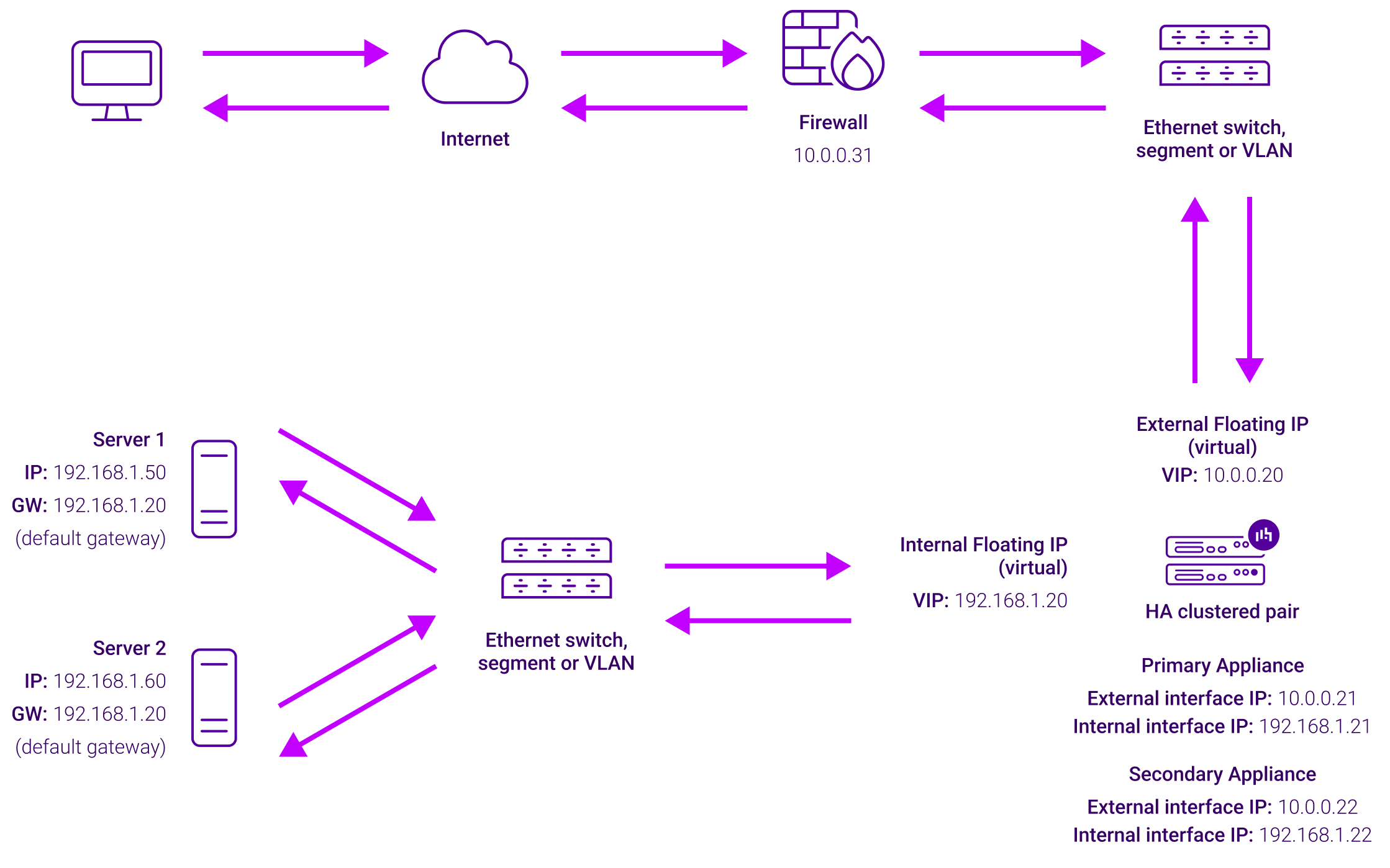
- First, you need to install LVS, activate the module on boot and ensure that the Linux kernel will allow layer 4 routing:
sudo dnf install -y ipvsadm
echo "ip_vs" | sudo tee /etc/modules-load.d/ip_vs.conf
echo "net.ipv4.ip_forward = 1" | sudo tee /etc/sysctl.d/99-ipvs.conf
sudo sysctl -p /etc/sysctl.d/99-ipvs.conf- Then you need to configure the internal and external floating IPs for LVS to listen on:
sudo ip addr add 10.0.0.20/24 dev eth0 label eth0:0
sudo ip addr add 192.168.1.20/24 dev eth0 label eth0:1
- Then use the ipvsadm user space tool to tell the kernel that LVS is going to handle traffic for this interface as a VIP (Virtual IP Address):
sudo ipvsadm -A -u 10.0.0.20:53 -s rr- Here we are specifically telling LVS to listen only for UDP packets on port 53 i.e. DNS. And we are going to load balance the packets in a simple round-robin rotation to the two backend servers (real servers):
sudo ipvsadm -a -u 10.0.0.20:53 -r 192.168.1.50:53 -m
sudo ipvsadm -a -u 10.0.0.20:53 -r 192.168.1.60:53 -m- Now, because we are using NAT mode load balancing, we need to make sure that both backend servers reply through the load balancer. The simplest way to do that is to configure both backend servers to use the load balancer as a default gateway:
sudo ip route replace default via 192.168.1.20How do I see what is happening with the traffic?
LVS has good basic monitoring capabilities, but bear in mind that all the traffic is routed. A Layer 4 load balancer can only see connection information. You can't get detailed traffic inspection, logging and statistics as you would with HAProxy.
sudo ipvsadm -Ln --stats

IP Virtual Server version 1.2.1 (size=4096)
Prot LocalAddress:Port               Conns   InPkts  OutPkts  InBytes OutBytes
  -> RemoteAddress:Port
TCP  10.0.0.20:53                      10       60        0    5120        0
  -> 192.168.1.50:53                    5       30        0    2560        0
  -> 192.168.1.50:53                    5       30        0    2560        0
You can also use the SNMP module for LVS that Loadbalancer.org supports for the open source community. And yes, if you're interested, we've also open-sourced our HAProxy SNMP agent.
What about High Availability and health checks?
Ah well, like I said, Linux always has tools that you can combine for the desired result. Good options are solutions like Keepalived or HA-Linux + Ldirectord. And you can also easily write your own health check scripts.
You can find a much more detailed example of LVS + Keepalived here, and an overview of Keepalived on the LVS site. And finally, here's a very old but useful tutorial on LVS Keepalived & Ldirectord.
Which kind of brings me to my point...
Open source tools are a joy to use but painful to orchestrate
Most engineers love Linux and open source tools. They know that they can trust the community to build the most powerful, flexible and secure solutions in the world. They can figure out how to combine these individual tools to produce amazing results. And it doesn't cost a cent.
But it does cost you time.
Time is the reason that engineers prefer commercial software appliances
If building load balancers from open source tools is not a core part of your business, then you'll probably prefer to use a traditional load balancer appliance.
It’s the reason why businesses still invest over $5 billion a year in traditional proprietary vendors like F5, Citrix, A10 and Radware. So they can be 100% sure that the solution works, is kept up-to-date and is well supported.
The downside is that these appliances can be very expensive, lock you into proprietary software, and are sometimes overly complex. Also, because they're not open source, they can be a massive security risk.
I've heard some very painful stories from many Enterprise customers with hundreds of these devices. They've had many sleepless nights over the last two years following repeated critical zero-day attacks on their F5s and Citrix NetScalers.
However, you might prefer a vendor with a bit more open source and a bit less lock-in
If so, then the HAProxy ALOHA appliance might be a better choice for you. Its LVS module has an easy to use text based configuration, and ALOHA has everything else you need, including monitoring, health checks and High Availability.
Not only that but you can guarantee that their support is great!
Another great option if you want a simple graphical interface is the Progress Kemp LoadMaster, which uses LVS under the hood, but doesn't give you access to any of the configuration files.
Jeff Gosden just wrote an interesting blog on HAProxy Enterprise vs Kemp, contrasting the two different approaches nicely.
And finally, we get to my blatant sales pitch
Here at Loadbalancer.org, funnily enough, we also sell load balancers, and we're very open about using HAProxy and LVS combined with other great open source software.
We try to contribute back to the community where we can, and when it comes to our own Enterprise load balancer appliance...
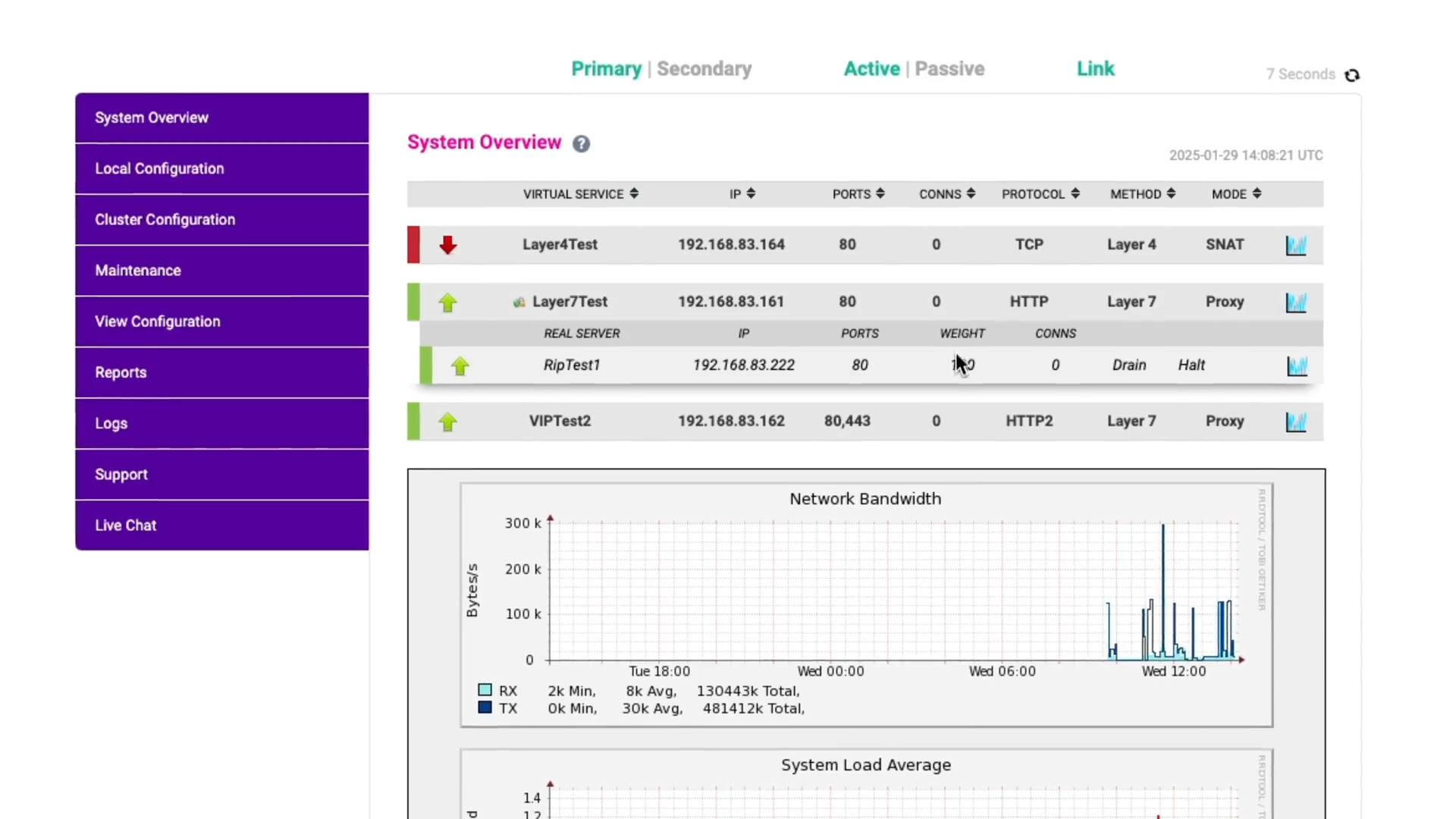
...we like to think that it has the ideal approach for engineers like you.
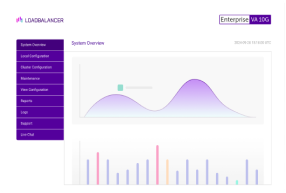
It has an easy-to-use graphical interface yet still gives you access to the underlying open source configuration. So you can have the best of both worlds.
If you think I'm talking rubbish, I'd love to know...
So, please leave your feedback in the comments section. Because I'm old school like that.
Thank you!
Want a load balancer that harnesses the power of open source with an easy-to-use WebUI? Look no further.



Related posts
When is an ACL not an ACL? When it's an HAProxy ACL...

Using Grafana Loki with HAProxy for log aggregation

Extending the ModSecurity WAF, with Denial Of Service protection — using HAProxy

How to rate limit Hitachi Vantara object storage with HAProxy

High zero-day in Citrix NetScaler ADC & Gateway: Patch CVE-2026-88779

Critical zero-day in F5 BIG-IP APM: Emergency CVE-2026-94127 hotfixes released
Critical zero-days in Citrix NetScaler ADC & Gateway: Patch CVE-2026-88771 and CVE-2026-88772 immediately
The ultimate VMware NSX alternative: Nutanix + Loadbalancer.org