







HAProxy Enterprise Edition vs Progress Kemp LoadMaster: A no-fluff engineer comparison
They might share a similar feature checklist, but they're engineered for entirely different audiences.


The choice between the HAProxy Enterprise Edition and Progress Kemp LoadMaster ultimately hinges on two core factors: your foundational infrastructure architecture and your team’s preferred management style.
If you just look at the features and functionality, they're both very similar; but it's who they are designed for that makes the difference.
HAProxy Enterprise is a powerful software-defined load balancer based on the popular open source project. It powers some of the world's busiest websites, which rely on its performance and flexibility. It does have an optional appliance-based format with a simple web-based interface, but it's normally deployed in complex automated DevOps environments, with teams of engineers who understand exactly what they're looking for.
Progress Kemp LoadMaster is a traditional appliance-based load balancer. It facilitates quick deployment for Enterprise IT teams with a simple web-based management interface. The monolithic design ensures that all of the security modules and application templates are ready to plug and play straight out of the box. Which, although inflexible, is generally ideal for traditional legacy enterprise applications.
Kemp LoadMaster is the turn-key, GUI-driven, application-templated powerhouse (ideal for traditional enterprise apps like Exchange/SharePoint or Microsoft environments).
Table of contents
- Understanding the core philosophies
- Summary comparison matrix: At a glance
- Licensing and Total Cost of Ownership
- The architectural verdict: Choosing the right solution for your scenario
- FAQs
- Alternative options to Kemp and HAProxy
Understanding the core philosophies
When choosing a software vendor, it's always important to look past the feature list to ensure the company's values and long-term goals align with your own.
HAProxy Technologies, LLC
HAProxy has a powerful open source legacy, based on excellent engineering without compromise from the amazing Willy Tarreau. HAProxy Technologies, LLC builds on his legacy with everything you'd expect from a commercial load balancer.
Unlike other vendors, the commercial HAProxy Enterprise can be deployed in two very different ways:
- Traditional hardware or virtual appliance format (HAProxy ALOHA)
- Software only, DevOps-friendly non-appliance format (HAProxy Enterprise)
HAProxy One: The modular, flexible DevOps platform
By combining its hyper-efficient data plane (HAProxy Enterprise) with its modern automation tools, unified security layers, and native container integrations, HAProxy One allows engineering teams to manage traditional VMs, Kubernetes pods, and NVIDIA-accelerated AI pipelines using a single underlying architecture.
HAProxy Enterprise: The core engine — built for speed and flexibility
At its foundation, HAProxy’s reputation was forged on a single design principle: doing one thing faster and with more flexibility than anything else on the market.
| Feature | Description |
|---|---|
| Asynchronous, event-driven data plane | Leveraging Linux epoll, its non-blocking architecture allows a single process to multiplex tens of thousands of concurrent connections smoothly. |
| Multi-threaded performance model | Automatic configuration for complex CPU architectures, enables linear scaling for 128 cores or more! |
| Zero-copy buffer passing | Handles massive workloads at near-line-rate speeds, maximizing throughput while keeping RAM and CPU consumption exceptionally low. |
That's why some of the largest websites in the world use the open source version, and some of them have helped give direction to the commercial version as well.
High quality DDOS protection, WAF, WAAP & API security
While HAProxy built its legacy on its high-speed Layer 7 reverse proxy, modern enterprise demands required a shift from basic traffic routing to comprehensive edge protection.
HAProxy Enterprise evolved into an all-in-one Web Application and API Protection (WAAP) platform. Instead of hairpinning traffic through external security appliances, the system can handle advanced traffic management natively, and the tightly integrated security modules are optimized for performance at scale.
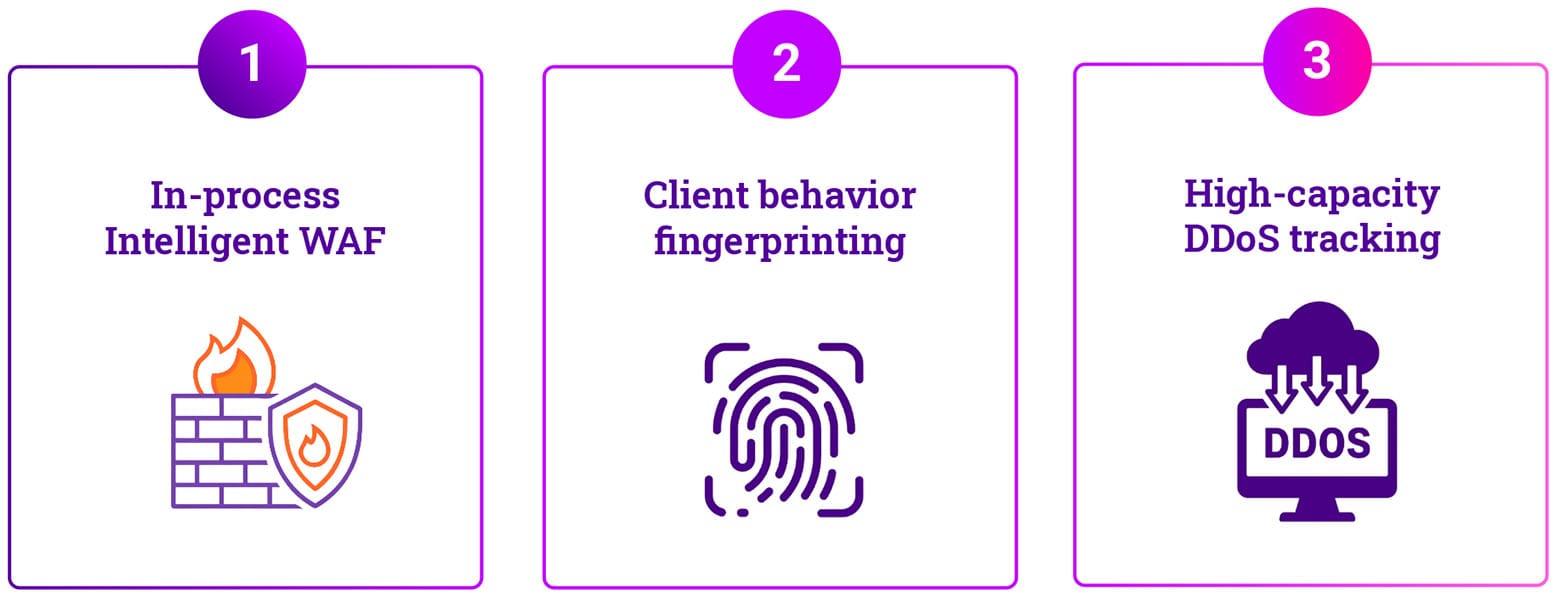
As you would expect from HAProxy, the security modules are all high in quality, capability, flexibility, and performance. Note, though, that you will need a security team who knows how things really work to get the best out of these capabilities.
Here's an example of a relatively simple configuration to block an HTTP/2 bomb attack:
global

    # 1. HTTP/2 Rapid Reset & Burst Throttling (Requires HAProxy 3.4+)
    # Client Punishment: Processes exactly one stream reset per execution loop.
    # This serializes multiplexed floods, making volumetric reset attacks unnoticeable.
    tune.h2.fe.max-rst-at-once 1

    # 2. Global Protocol Fuzz Ceiling
    # Automated safety switch: Globally terminates connections that exceed 200 transport glitches
    tune.h2.fe.glitches-threshold 200

frontend https_in
    bind *:443 ssl crt /etc/haproxy/certs/my_site.pem alpn h2,http/1.1
    mode http

    # Security Stick-Table
    # A single unified table tracking client burst rates and protocol anomalies simultaneously
    stick-table type ip size 1m expire 5m store http_req_rate(10s),glitch_cnt

    # EARLY DROP LAYER: Track and evaluate clients at the raw network layer.
    # This catches abusive clients BEFORE they can waste CPU cycles on TLS handshakes.
    # Initialize tracking slot 'sc0' for the incoming source IP
    tcp-request connection track-sc0 src

    # Defensive Action A: Catch Persistent Protocol Glitchers / Window Stalls
    # Instantly drop the raw socket if an IP accumulates more than 1000 cumulative glitches.
    tcp-request connection reject if { sc0_glitch_cnt gt 1000 }

    # Defensive Action B: Catch Volumetric Request Floods
    # Instantly drop the raw socket if a client exceeds clean request burst limits.
    tcp-request connection reject if { sc0_http_req_rate gt 200 }

default_backend web_serversHAProxy Fusion: The orchestration control plane
Managing complex multi-cluster, multi-environment data planes across traditional infrastructure, hybrid clouds, and Kubernetes environments creates severe operational friction.
HAProxy Enterprise was traditionally used on security-hardened standalone hosts, deployed in high-availability pairs. Much like any other appliance-based load balancer. However, it rapidly became a key component of the modern microservice architecture. With hundreds of HAProxy Enterprise instances running inside Kubernetes clusters.
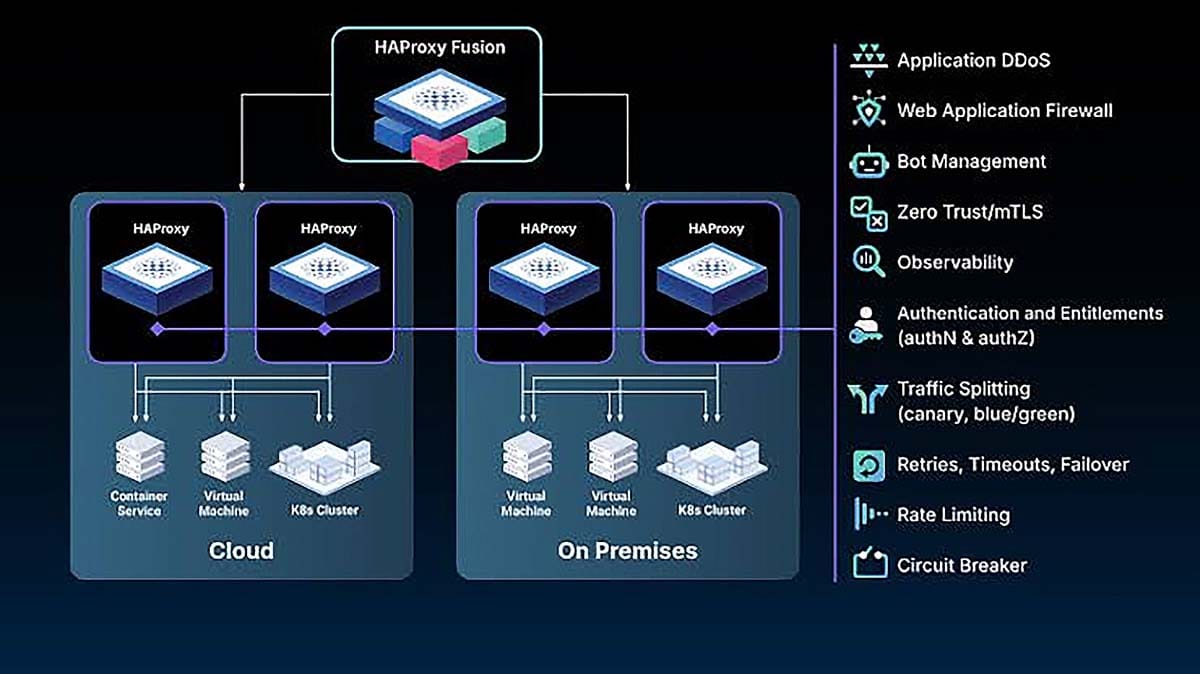
Naturally, they have a separate product for routing and security:
- HAProxy Kubernetes Ingress Controller: Bridges the gap between external bare-metal/cloud networks and internal container endpoints, bringing low latency, hitless configuration reloads, and stick-table state tracking to container environments.
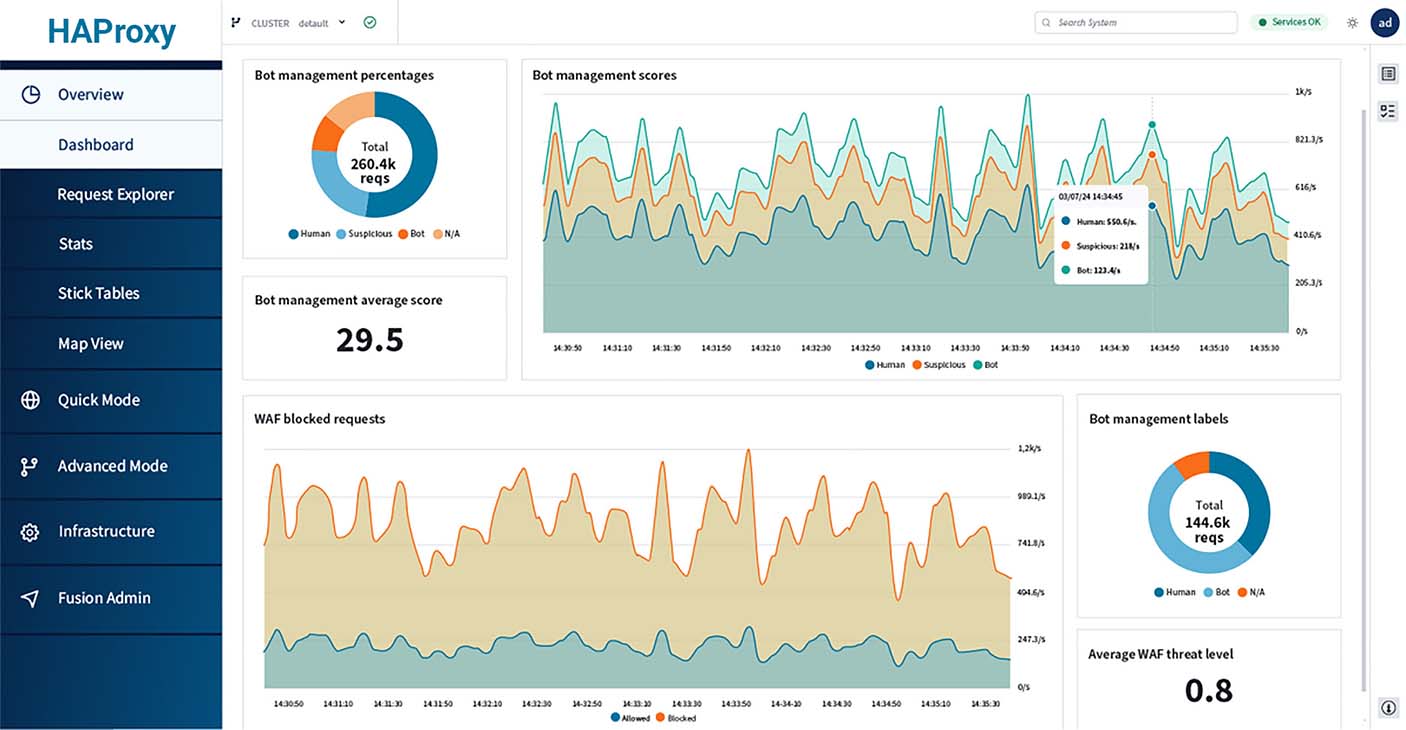
But the HAProxy Fusion control plane provides a centralized management layer (accessible via UI, OpenAPI specification, or CI/CD pipelines) to:
- Enhanced visibility of HAProxy instances, wherever they are located.
- Detailed observability of performance, health, and logs.
- Orchestrate configuration & security and push seamless dynamic updates.
- Enable dynamic service discovery for container environments.
- Manage distributed data plane nodes as a single, cohesive application delivery tier.
Kemp LoadMaster: The turnkey load balancer appliance
While HAProxy Enterprise gives DevOps teams an open canvas to script high-velocity data pipelines, Progress Kemp LoadMaster provides a resilient, predictable application delivery platform. By abstracting lower-level operating system maintenance into a single, appliance-hardened control layer, it allows enterprise IT teams to secure and scale core business workloads with minimal administrative overhead.
Simple and easy to use design philosophy
The core engineering behind Progress Kemp LoadMaster was established on a single principle: removing operational complexity from application delivery.
| Feature | Description |
|---|---|
| Deployment architecture | Completely self-contained, turnkey operating system that eliminates manual Linux hardening, dependency configuration, or software compilation. |
| Integrated core services | Bundles Layer 4/7 load balancing, an enterprise Web Application Firewall (WAF), edge authentication, and Global Server Load Balancing (GSLB). |
| Delivery format | Shipped as a single, pre-tuned software image designed for immediate, optimized performance out of the box. |
Easy enterprise infrastructure deployment
Kemp’s appliance-focused architecture has three simple deployment options:
- Virtual: Kemp supports all the major hypervisors, including Microsoft and VMware.
- Hardware: The LM-X physical appliances come in a dizzying array of sizes.
- Cloud: Easy deployment on Amazon AWS and strong support for Microsoft Azure (but not Google GCP).
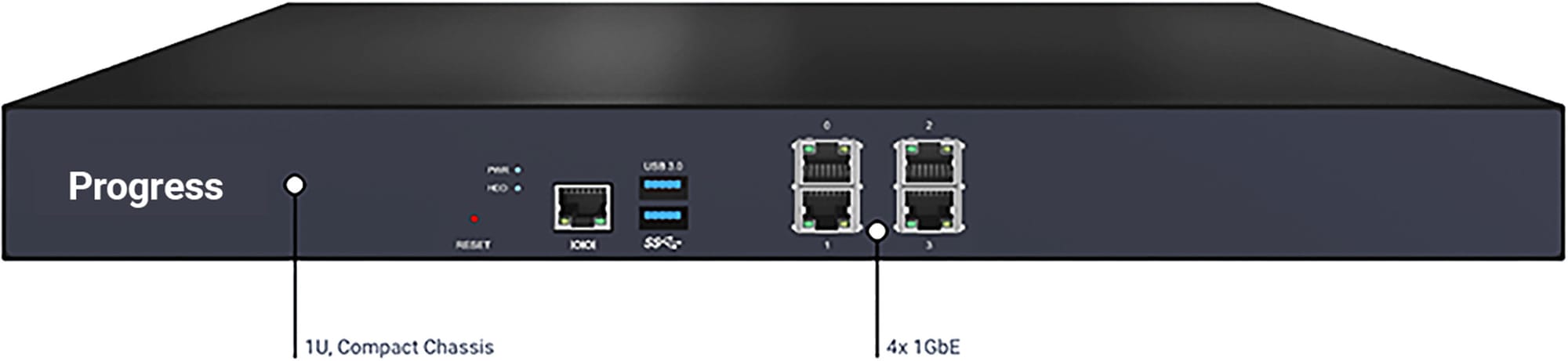
In general, the philosophy of Kemp is to support as many enterprise features as possible with a functional and easy-to-use approach. They don't pretend to be the best at performance, flexibility, or looks. But they do give you a lot of functionality with solid support for a reasonable price.
WAF, GSLB, and SSO are completely integrated
One of the great things about the monolithic appliance format is that when you need advanced functionality, you simply need to pay for the license and activate the relevant modules.
The configuration of those modules can be complex, but you don't need to worry about as many moving parts as you do with a software-defined solution like HAProxy.
While the security rules are automatically updated, don't expect Cloudflare-like ease of use and quality. The Kemp WAF is a simple ModSecurity core rule set implementation—meaning you're on your own with custom rules if you're trying to secure your own environment.
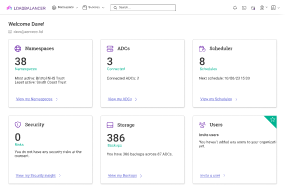
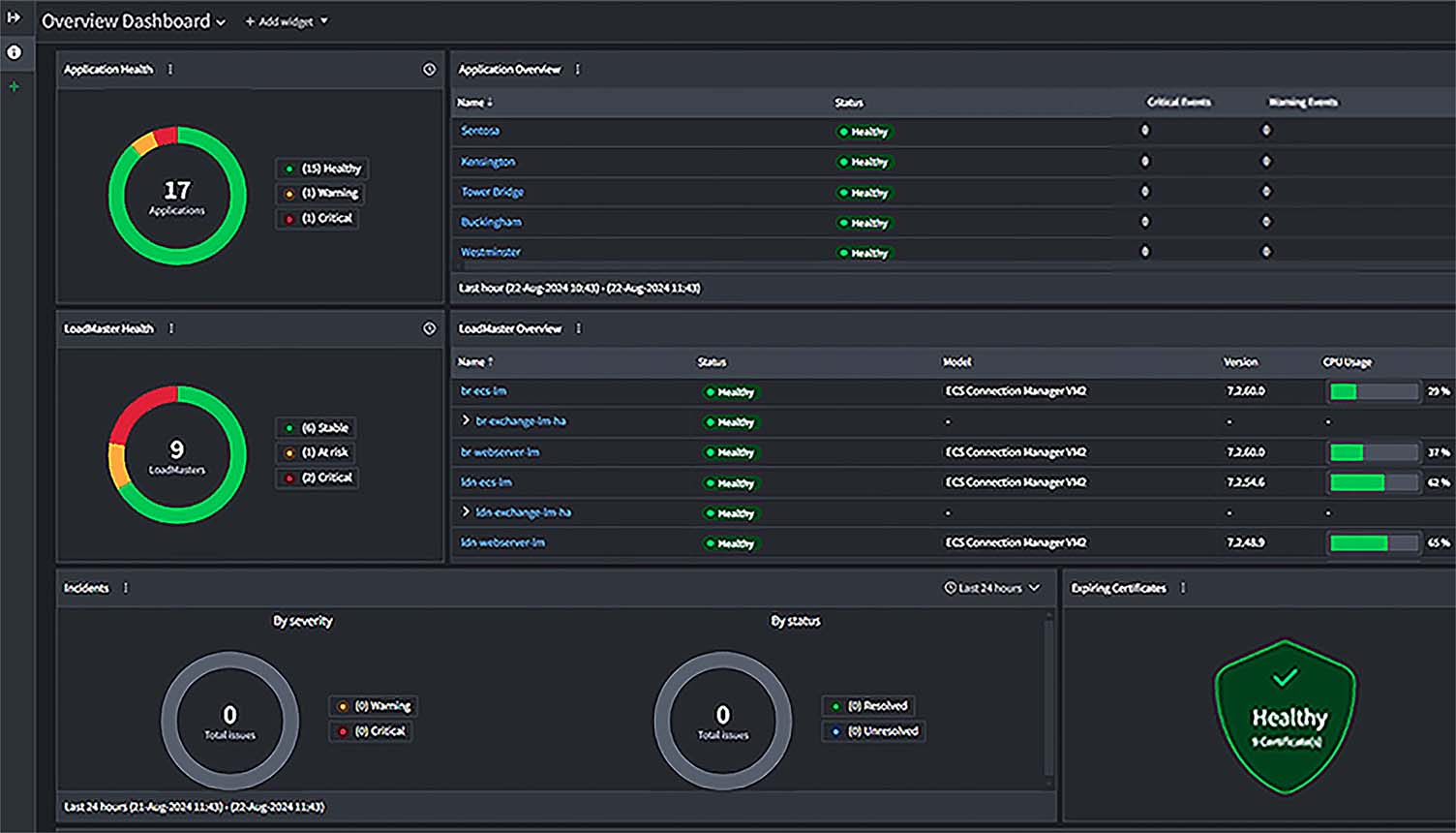
Kemp Loadmaster 360: Centralized management for Enterprise IT teams
For infrastructure teams managing hundreds of corporate applications, Kemp's relatively new centralized management platform is designed to:
- Enhance observability and monitoring
- Simplify support and licensing
- Improve SSL Certificate Management
- Technical support desk integration
It's a fairly basic platform at the moment but seems to be undergoing rapid development. It's interesting that they have enabled a lot of support integration tools into this platform already. Which makes sense considering the focus they place on internal technical support teams as the ideal target customer.
Summary comparison matrix: At a glance
This feature matrix highlights some of the key operational differences between HAProxy Enterprise and Progress Kemp LoadMaster:
| Feature | HAProxy Enterprise Edition | Progress Kemp LoadMaster |
|---|---|---|
| Core architecture | Highly optimized, asynchronous, event-driven data plane (using Linux epoll). Non-blocking architecture. |
Appliance-first, hardened, self-contained operating system. All-in-one cohesive software image. |
| Use case | Cloud-native apps, Kubernetes, DevOps automation. | Virtualized VMs, hardware nodes, Microsoft/enterprise apps. |
| Primary deployment | Software-defined, containers, cloud-native. | Virtual, hardware or public cloud appliance. |
| Management interface | Command Line (CLI) and API-first, Lua scripting. | Web Interface, PowerShell. |
| Scaling architecture | Unlimited throughput via a flat, per-instance software fee. | Throughput-capped tiering models (Gbps limits). |
| Security | Advanced bot management, fingerprinting, modular WAF. | ModSecurity WAF, Edge Security Pack (ESP) & FIPS compliance |
| Configuration | File-based configs, Infrastructure-as-Code. | Template-driven setup, app wizards. |
| App-specific templates | Limited (requires manual config). | Extensive (Microsoft, Cisco, Oracle etc). |
| Centralized orchestration | HAProxy Fusion Control Plane offers unified command center across multi-cluster/hybrid cloud environments. | Unified WebUI/central appliance management interface with same feature sets across environments. |
Licensing and Total Cost of Ownership
When evaluating the long-term cost of your application delivery layer, remember, the financial impact extends far beyond the initial quote.
For engineers, the real variance lies in how each platform handles scaling costs—specifically, whether costs are tied directly to the number of computing nodes or to the volume of data traveling across the wire!
HAProxy Enterprise
HAProxy is ideal for massive, variable traffic volumes because you pay for the compute node, not the data pipe.
HAProxy Enterprise Edition Licensing
HAProxy Enterprise operates on a clean, subscription-based model calculated strictly on a per-node basis. Whether a single instance processes 10 Mbps or scales to 100 Gbps of concurrent Layer 7 traffic, the licensing cost for that node remains constant.
This makes budgeting predictable for high-velocity architectures, multi-cloud clusters, and microservices environments. Pricing plans are determined by organization size, support SLAs (standard 10x5 or premium 24x7), and the integration of the HAProxy Fusion Control Plane. Because there are no dynamic artificial caps on bandwidth or SSL Transactions Per Second (TPS), your financial exposure is directly tied to your infrastructure footprint, rather than your external traffic volume.
HAProxy Enterprise Edition Performance
You definitely don't need to worry about performance with HAProxy. It is almost certainly the fastest reverse proxy on the market. After 20 years of continuous improvement, it has proven itself time after time in benchmarks. Recent versions have also enabled auto-tuning for complex CPU architectures with > 64 cores.
Why does performance matter? Because it relates to cost.
For example...
Let's take the hardware specs of the Kemp LM-X25-NG with its 2 x 2.3GHz, 20C/40T CPU, which gives you 20 Gbps of Layer 7 throughput.
HAProxy Enterprise running on exactly the same CPU would easily be capable of 100 Gbps—which is quite a difference!
HAProxy Enterprise Edition Pricing
HAProxy Enterprise pricing is custom and requires a direct sales quote for large hybrid or on-premises deployments.
Don't be surprised if the conversation starts with them trying to find out how many free open source instances of HAProxy you're currently using throughout your entire organization.
The cost is likely to be based on ALL of your instances, Enterprise and open source.
To be honest, that seems fair. If you are running a DevOps environment, then you'll likely need a high level of in-depth technical support when something goes wrong. So you shouldn't be surprised at a large annual cost for the support contract.
For current pricing info you'll need to contact their sales team directly.
Progress Kemp LoadMaster
Progress Kemp works better for multi-tenant environments with predictable data flows, allowing you to spin up multiple instances under a single capped-bandwidth license.
Kemp Licensing
Progress Kemp adopts a per appliance licensing philosophy based on throughput. The Virtual LoadMaster (VLM) subscriptions are segmented into three explicit throughput limits: 1 Gbps, 5 Gbps, and MAX, which is unlimited.
Kemp also offers a Pooled License, allowing you to deploy an unlimited number of ADC instances across your hypervisors, drawing from a centralized pool of bandwidth. However, your collective or individual throughput caps are strictly enforced by the software. And you need to pre-allocate the bandwidth in the usual chunks of 1Gbs/5Gbs etc using Kemp 360. So tell me, how exactly does that make it easier for you?!
Additionally, Kemp breaks its licensing into feature tiers—Standard, Enterprise, and Enterprise Plus—where advanced components like the Web Application Firewall (WAF), Global Server Load Balancing (GSLB), and daily commercial threat signature feeds require upgrading to the highest subscription tier regardless of your appliance sizes.
Kemp seem to be pushing the subscription/pooled model, which is deceptively hard to understand, and seems very expensive compared to the perpetual options.
When you need wire speed, choose a hardware appliance
For engineers looking for dedicated, on-premises physical hardware rather than a virtual machine or cloud instance, the Progress Kemp LoadMaster hardware appliances are less than half the price of the equivalent F5 & Citrix NetScaler hardware.
Mid-tier hardware models, like the 25GbE-enabled LoadMaster X25-NG, cost $34,000, whereas heavier enterprise implementations like the 100GbE-enabled LM-XHC100-NG cost $82,000.
However, as with other vendors, you must calculate the total recurring operational cost. The hardware appliances require annual support and security updates for roughly 25% of the initial cost per year.
For current pricing info, check out the Pricing Hub on Kemp's website.
In general the Kemp hardware load balancers offer good value for money and have everything that you are likely to need.
The architectural verdict: Choosing the right solution for your scenario
Choosing between HAProxy Enterprise Edition and Progress Kemp LoadMaster isn't about finding the objectively 'better' load balancer—it's about aligning your networking layer with your operational culture and scaling economics.
Choose HAProxy Enterprise Edition if...
- Your stack is modern and cloud-native: You're managing massive Kubernetes clusters, microservices, or complex hybrid-cloud environments. HAProxy integrates seamlessly as a cloud-native ingress controller.
- You operate at massive scale: Your applications experience incredibly high concurrency, or millions of requests per second. HAProxy’s multi-threaded, event-driven core handles massive data pipelines with minimal CPU and RAM footprints.
- Your team lives in code: You utilize automation tools like Ansible, Terraform, or DevOps pipelines. HAProxy’s file-based configuration structure and advanced API fit directly into Infrastructure-as-Code (IaC) workflows.
- You want predictable instance costs: You prefer paying flat, subscription-based licensing fees per software instance without worrying about sudden data spikes triggering expensive bandwidth overage fees.
Choose Kemp LoadMaster if...
- You run traditional enterprise applications: You need to load balance heavy, established enterprise workloads like Microsoft Exchange, SharePoint, Remote Desktop Services, Oracle, or ERP platforms. Kemp features turn-key application templates that configure these workloads perfectly in minutes.
- You value simple web interface management: Your infrastructure team values an intuitive, centralized graphical dashboard over raw terminal-based configuration management.
- You need dedicated hardware or virtual appliances: You require an all-in-one virtual appliance (OVA) that drops directly into VMware/Hyper-V or physical bare-metal hardware appliances equipped with dedicated ASICs for SSL acceleration.
- You require turnkey security: You need immediate compliance mapping out of the box. Kemp appliances are all FIPS compliant. And the Enterprise Plus tier bundles an integrated Web Application Firewall (WAF) with continuous threat updates without requiring modular tuning.
- You just need it to work: The traditional appliance format makes configuration, maintenance, disaster recovery, and technical support relatively simple.
Frequently Asked Questions
Is HAProxy Enterprise open source?
- No. While built upon the hyper-efficient open-source HAProxy engine, the Enterprise Edition is a proprietary, hardened distribution. It bundles enterprise-only modules (such as the Advanced ML WAF, Threat Detection Engine, Real-time Dashboard, and Enterprise Bot Management) alongside 24/7/365 production-grade technical support and centralized management via HAProxy Fusion.
Can Progress Kemp LoadMaster handle microservices?
- Yes, but its architecture is not native to container orchestrators. Kemp can load balance traffic to Kubernetes clusters as an external ADC using static endpoints or automated API integrations. However, for internal cluster ingress, service meshes, or highly dynamic, container-native cloud architectures, HAProxy Enterprise’s specialized Kubernetes Ingress Controller is the industry standard.
Which load balancer is better for a Microsoft environment?
- Progress Kemp LoadMaster is the decisive winner for native Microsoft environments. Its Edge Security Pack (ESP) replaces legacy threat management gateways, and its turn-key, pre-configured application templates allow systems administrators to deploy fully optimized load-balancing profiles for Microsoft Exchange, SharePoint, and Remote Desktop Services in a matter of clicks.
Traditional Enterprise load balancers:
If you're considering the Kemp LoadMaster, then I strongly recommend that you check out these alternatives. When you do, think about who they are targeting as customers and why. Make sure they support people like you, with application delivery problems like yours.
Modern DevOps load balancers
Whereas the best HAProxy Enterprise alternatives are:
Oh, and don't forget to check out the open source version HAProxy.org. It's remarkably similar to the commercial variant!
General caveats and disclaimers
I'm not associated with either of these companies, and I'm no expert with either of their commercial offerings. I'm just making logical assumptions based on what I can find from looking at the relevant websites and documentation.
I've almost certainly got some facts wrong, so if I have, please don't hesitate to leave a comment telling me how, and I'll update the blog.
Formal endorsement of these products should not be denoted from the third-party logos, trademarks or images cited above. For further details, refer to the ‘Disclaimer and Fair Use Statement’ in our Terms & Conditions.
Comparing load balancers is simple, but not easy.




Related posts
Envoy proxy vs. purpose-built load balancing for object storage

Microsoft NLB is finally going End of Life — so what next?!
Load balancer migration: The F5 alternative turning heads
Load balancer migration: The Citrix NetScaler alternative making waves

High zero-day in Citrix NetScaler ADC & Gateway: Patch CVE-2026-88779

Critical zero-day in F5 BIG-IP APM: Emergency CVE-2026-94127 hotfixes released
Critical zero-days in Citrix NetScaler ADC & Gateway: Patch CVE-2026-88771 and CVE-2026-88772 immediately
The ultimate VMware NSX alternative: Nutanix + Loadbalancer.org