Benefits of load balancing Ricoh Print Servers
Load balancing Ricoh Print Servers offers the following benefits:
- Enhanced performance and reduced bottlenecks: Load balancing distributes the incoming print jobs (traffic) evenly across a cluster of multiple print servers. No single print server is overwhelmed by a sudden surge in print jobs or large, complex documents, which prevents slow processing, spooler crashes, or extended wait times for users. It ensures all available server resources are utilized efficiently, leading to faster processing of print requests and better overall print job throughput across the organization.
- High Availability (HA): Load balancing, especially when implemented with a failover mechanism, ensures printing services remain operational even if a server fails. If one Ricoh print server goes offline (due to hardware failure, maintenance, or software crash), the load balancer automatically redirects all incoming print jobs to the remaining active servers. This prevents printing services from being a single point of failure, ensuring that users can continue to print without interruption, which is crucial for business continuity.
- Simplified scalability and maintenance: Load balancing makes it easier for IT administrators to manage and grow the print environment without disrupting end-users. When print volume increases, new print servers can be added to the load balancer cluster (scaled up) to handle the extra capacity without needing to change user configurations. Servers can be taken offline for maintenance, patching, or upgrades one-by-one by simply removing them from the load balancer pool. The remaining servers pick up the load, and the server can be brought back online once the work is complete, all while users continue to print seamlessly.
About Ricoh print servers
Ricoh print servers provide a flexible and high performance front-end for printing hardware, such as printers and presses. From a common workflow, users have the power to manage print jobs, queues, and resources across varied printer environments. Color management, secure printing, and more can be handled from a drag-and-drop graphical interface. Third party print management solutions can be load balanced when used with Ricoh print servers.
Why Loadbalancer.org for Ricoh Print Servers?
Loadbalancer’s intuitive Enterprise Application Delivery Controller (ADC) is designed to save time and money with a clever, not complex, WebUI.
Easily configure, deploy, manage, and maintain our Enterprise load balancer, reducing complexity and the risk of human error. For a difference you can see in just minutes.
And with WAF and GSLB included straight out-of-the-box, there’s no hidden costs, so the prices you see on our website are fully transparent.
More on what’s possible with Loadbalancer.org.
How to load balance Ricoh Print Servers
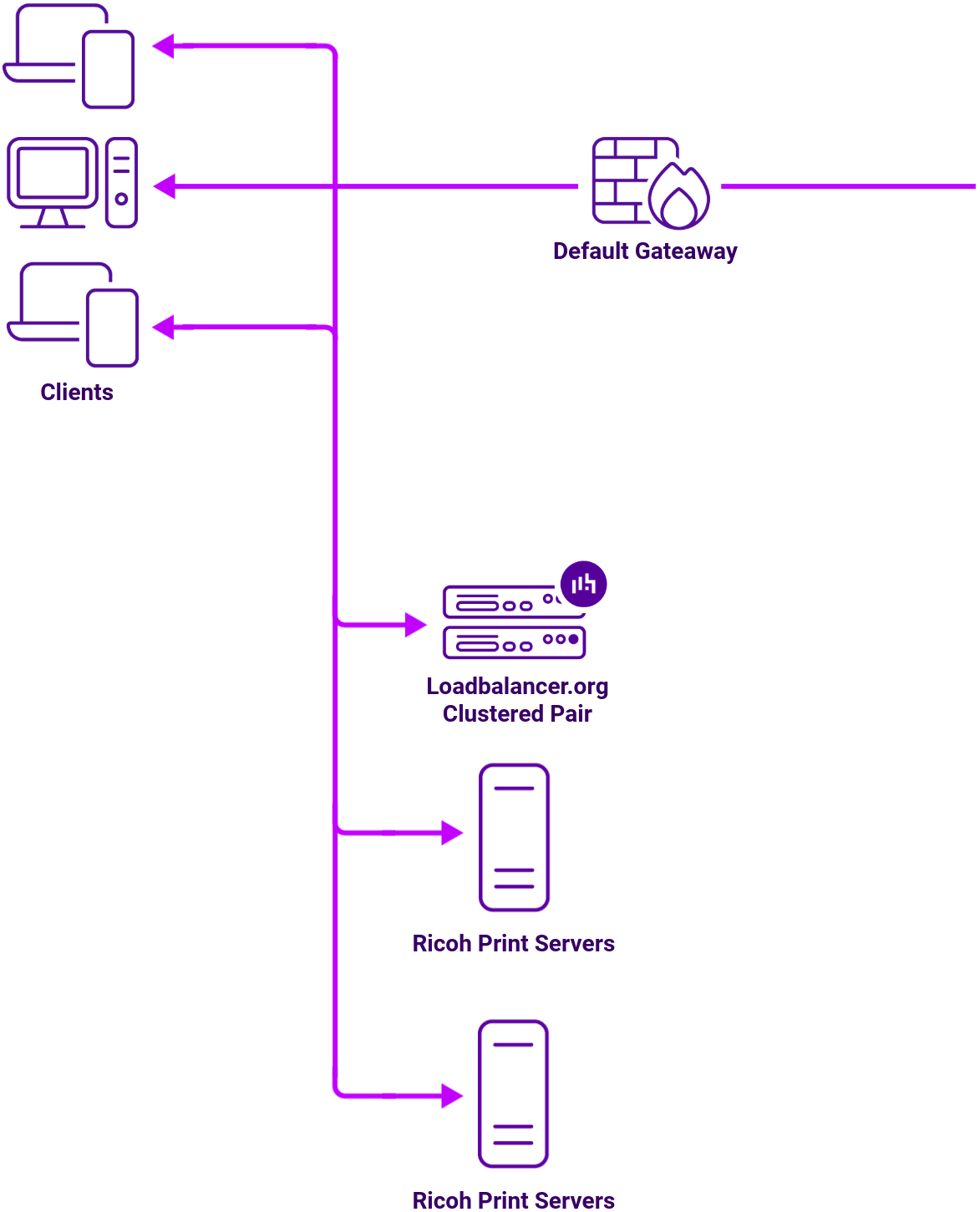
For load balancing print servers, the preferred and default load balancer configuration uses Layer 4 Direct Routing DR Mode, sometimes referred to as Direct Server Return (DSR). This is a very high-performance solution that requires little change to your existing infrastructure.
It is also possible to load balance a Ricoh print server deployment using Layer 7 Reverse Proxy (Layer 7 SNAT Mode). This mode might be preferable if making changes to the real print servers is not possible, although some Windows Registry keys need to be added. Due to the increased amount of information at Layer 7, performance is not as fast as at Layer 4. Also note that load balanced connections at Layer 7 are not source IP transparent, which is not usually an issue when load balancing print servers but should still be considered.
Load balancing deployment concept